Write at the speed you talk.
Hold one key and talk. Dicta Fun turns rambling speech into finished text and drops it at your cursor — in every app you already use.
Free plan, 2,000 words a week · macOS and Windows
How Dicta Fun works from any app
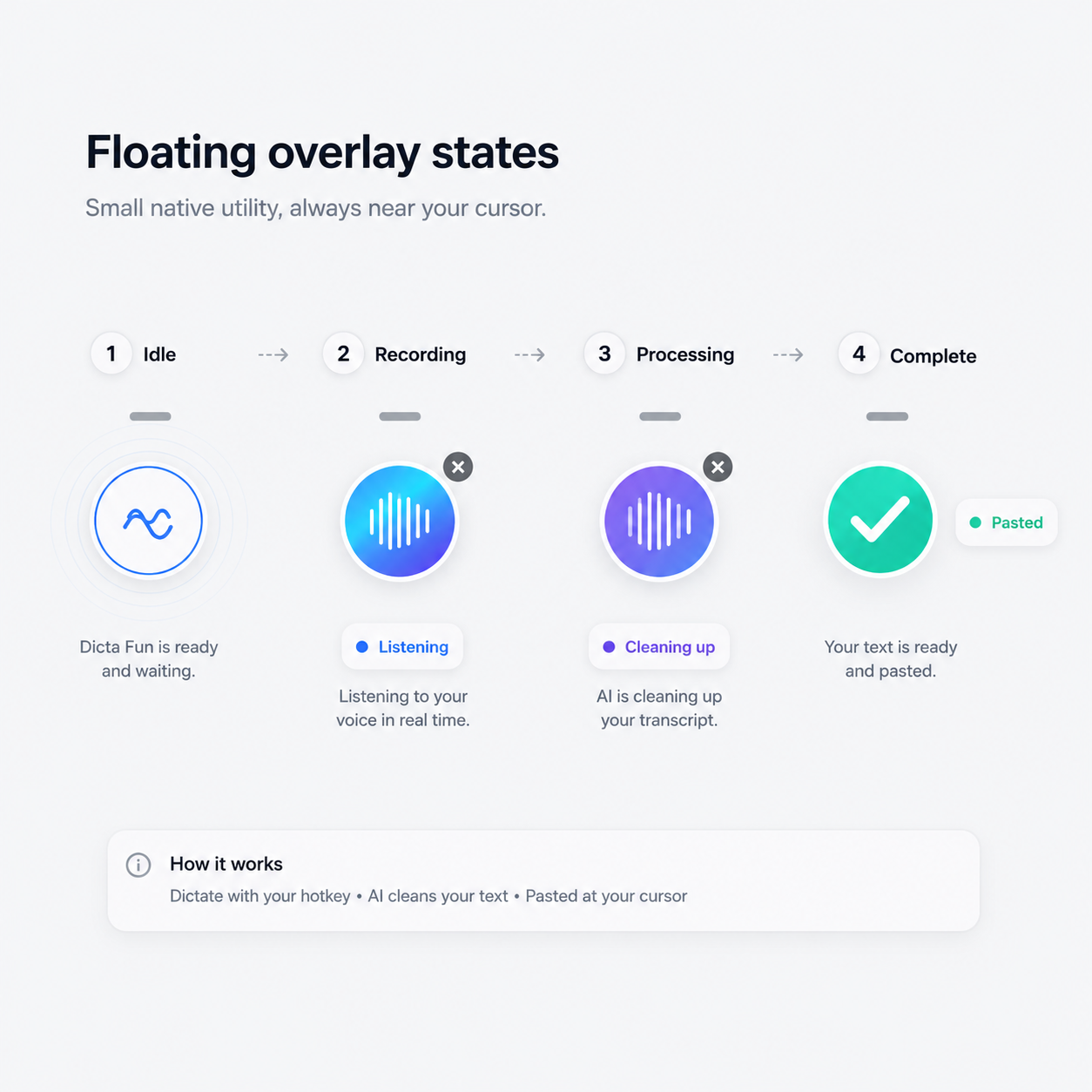
A compact native overlay
Use the shortcut, speak naturally, then let the small desktop overlay handle recording, cleanup, and paste feedback.
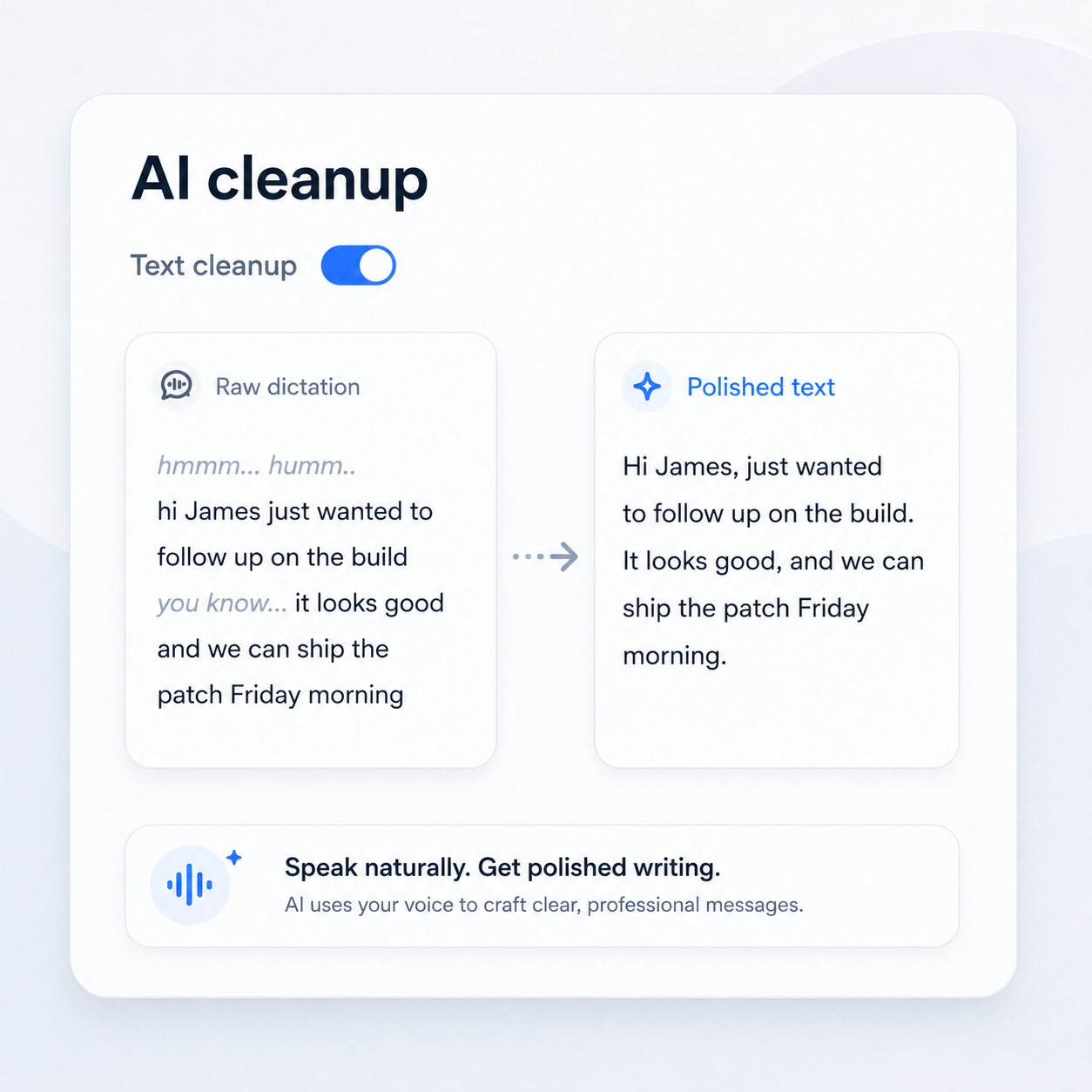
Cleanup handles the messy parts
Dicta Fun fixes punctuation, casing, and rough phrasing. Nova commands can turn a spoken instruction into a concise follow-up.
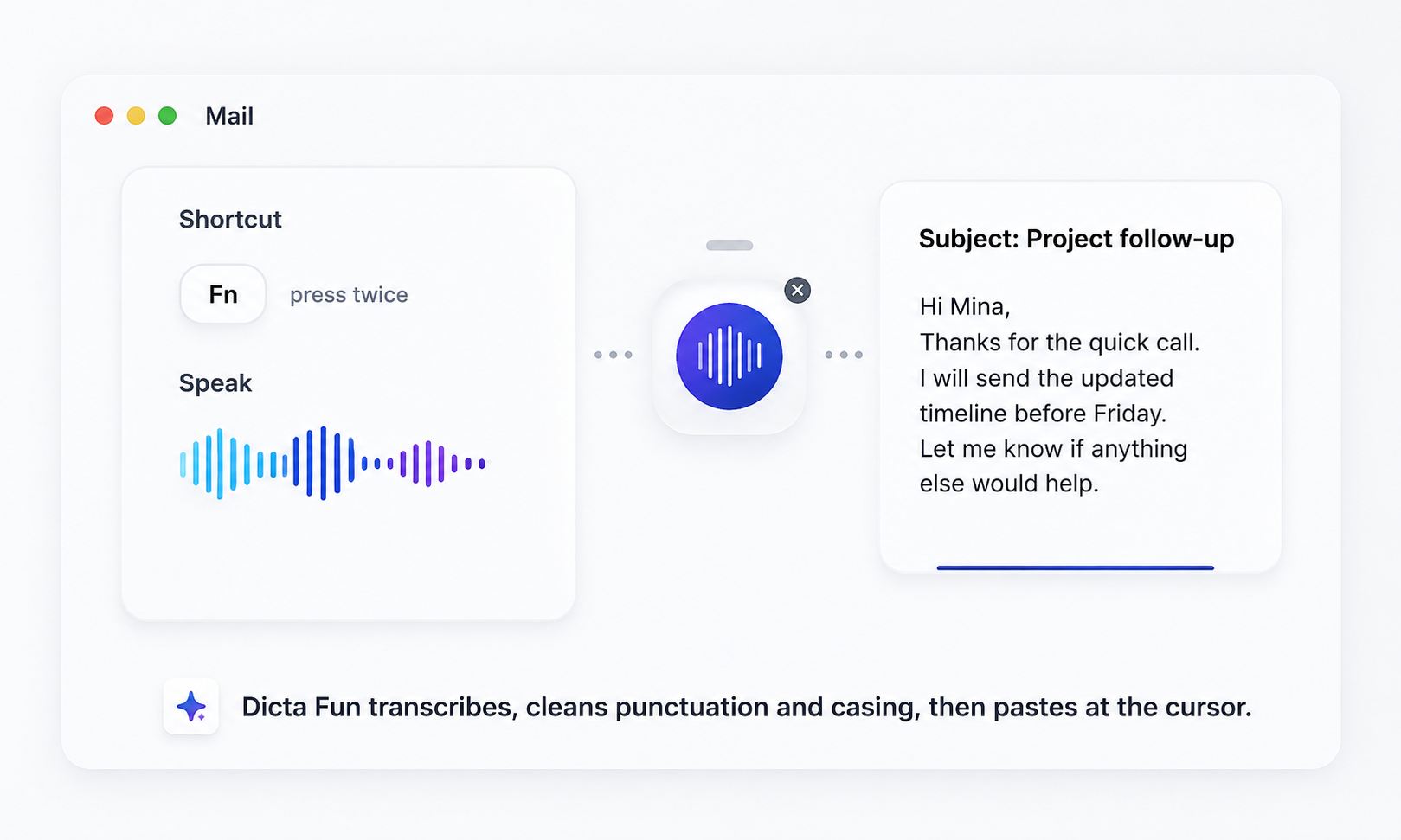
Press shortcut, speak, paste
Dicta Fun records from the overlay, processes after you stop, cleans the text, and pastes into the app you were already using.
A practical desktop control panel
Setup, shortcuts, dictionary terms, permissions, and billing live in one native-feeling window.
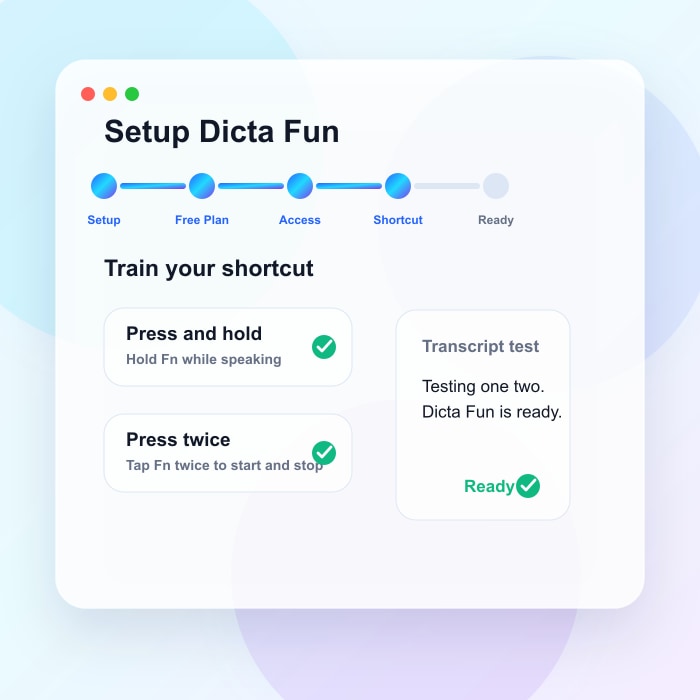
Shortcut training
Test press-and-hold and press-twice modes during onboarding, with transcripts and completion checks.
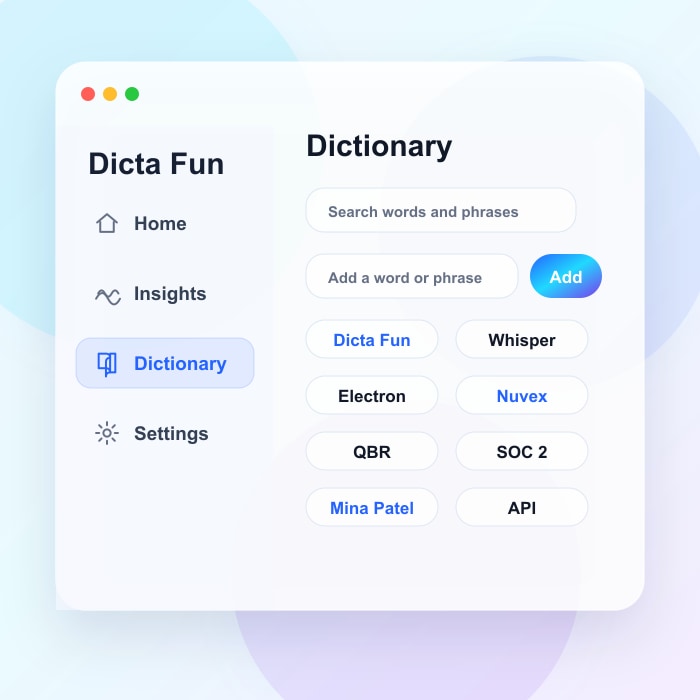
Custom dictionary
Add names, acronyms, product terms, and technical phrases so recognition matches the words you actually use.
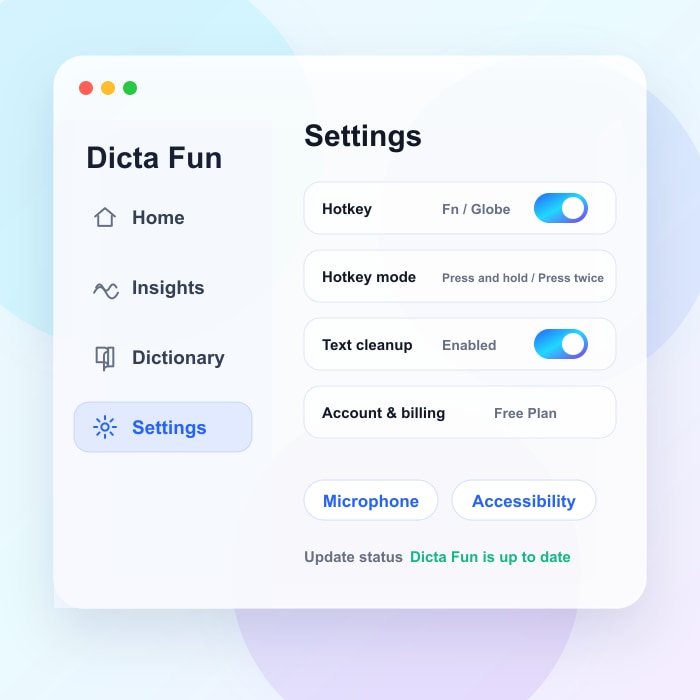
Settings and permissions
Manage the hotkey, cleanup toggle, account plan, microphone access, accessibility access, and updates.
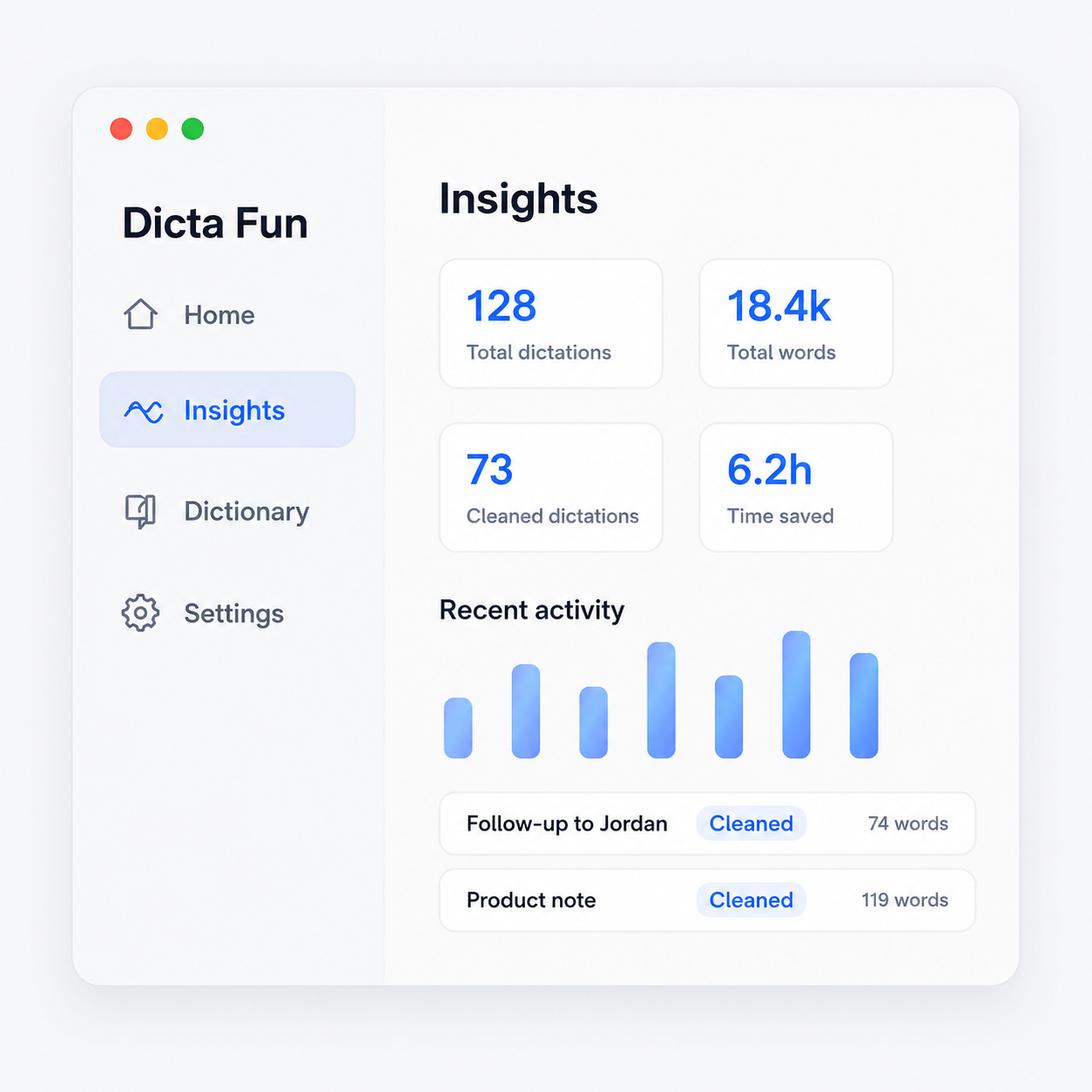
Usage and history without clutter
Keep track of the voice entries Dicta Fun has processed.
See how much typing you skipped across apps.
Review which dictations used AI cleanup before paste.
Frequently asked questions
Speak naturally. Dicta Fun writes it clearly.
Try the desktop overlay on your next email, message, or note.